
Understanding Square Images
In the age of digital photography and social media, the composition and presentation of images have become crucial. Square images, defined by a 1:1 aspect ratio, play an essential role in various platforms, from Instagram to Facebook, where they often serve as profile pictures and posts. The appeal of the square format lies in its symmetry, making it easier to display subjects centrally while maintaining visual interest. With the rise in popularity of square images, understanding how to make image square has never been more important for anyone looking to enhance their online presence.
What Is a Square Image and Its Uses?
A square image, as the name suggests, is an image where the height and width are equal, creating a perfect square. This format is particularly popular among photographers, graphic designers, and social media influencers because it lends a balanced aesthetic to visual content. Square images can be used for a variety of purposes, including:
- Profile pictures on social media platforms
- Thumbnails for blog posts and videos
- Marketing materials such as posters and advertisements
- Art and photography prints
The Importance of Aspect Ratios in Photography
Aspect ratio is a key concept in photography that refers to the proportional relationship between an image’s width and height. Different ratios yield different visual results; for example, a square image (1:1) creates a feeling of balance, while rectangular images (like 16:9 or 4:3) can convey a sense of expansiveness. Understanding how to manipulate aspect ratios, including how to convert rectangular images to square, is essential for professionals who want to enhance their visual storytelling.
Why Make Image Square for Social Media?
Social media platforms heavily favor square images for various reasons. Firstly, square images display uniformly across feeds, making them more visually appealing. Algorithms on platforms like Instagram often favor posts that align with the expected formats, leading to better engagement. Additionally, square images reduce the risk of cropping out important details when displayed on mobile devices, ensuring that the subject remains the focal point.
Methods to Make Image Square
How to Convert Rectangular Images to Square
Transforming a rectangular image into a square format can be achieved through several methods, depending on the desired outcome. Cropping, adding borders, or changing the canvas size are popular approaches. For instance, cropping allows you to focus on specific parts of an image by removing excess areas, while adding borders can maintain the integrity of the image without losing any content. Each method has its advantages, and the choice often depends on the intended use.
Using Online Tools for Square Transformation
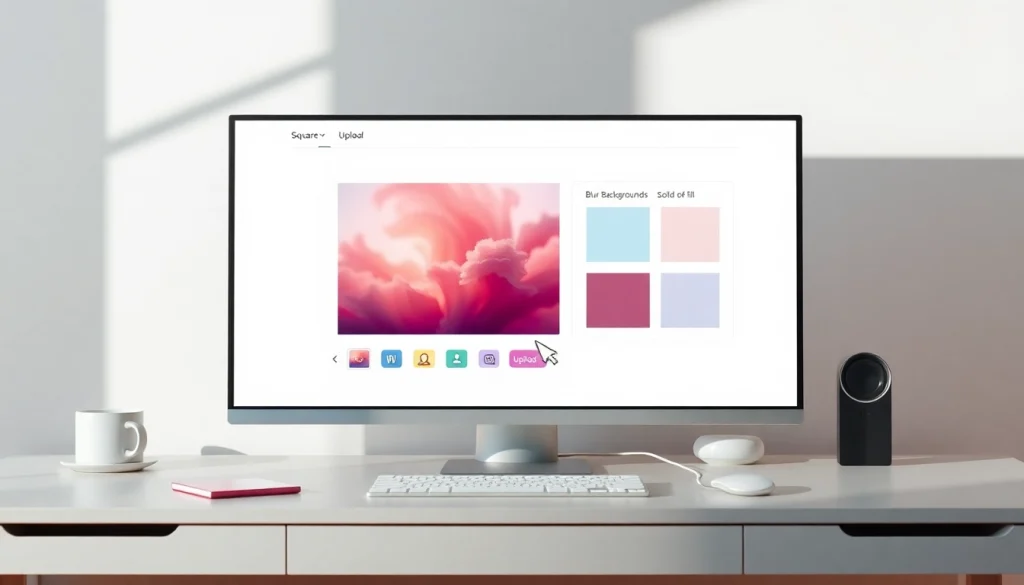
Online tools have become increasingly popular for those looking to quickly make images square without requiring specialized software. Many platforms offer simple drag-and-drop functionalities, enabling users to upload their images and instantly apply square cropping. These tools often include options for background colors, blurring, and additional effects, making it easy to customize the square imagery according to personal preferences.
Mobile Apps for Making Images Square
In addition to online tools, numerous mobile apps can help users convert images to square formats directly from their smartphones. These applications often feature user-friendly interfaces that allow for quick cropping, resizing, and adding creative elements. Popular options include apps like Squaredroid and Square Art, which cater specifically to users aiming for a hassle-free experience in transforming their photos.
Step-by-Step Guide
Uploading Your Image: Best Practices
To achieve the best results when making an image square, start by uploading a high-resolution file. This ensures that the final output maintains quality. Most online tools support various formats, including JPG, PNG, and WebP, making it easy to work with almost any image type. Additionally, consider the composition of your image before uploading—this helps you make informed decisions during the editing process.
Adjusting and Choosing the Right Method
Once your image is uploaded, the next step is to determine how to transform it. You may choose between cropping or adding backgrounds based on your style preference. Use zoom and repositioning tools to frame the subject effectively, ensuring it stands out within the square space. Many tools offer real-time previews, allowing you to tweak adjustments until you’re satisfied with the composition.
Previewing and Downloading Your Square Image
After making the necessary adjustments, preview the final square image to ensure everything looks as expected. This step is crucial for catching any cropped elements and making last-minute changes. Most platforms allow you to download your square image in various formats, such as JPEG, PNG, or even PDF, catering to different use cases. Opt for the format that best suits your needs, whether for web use or printing.
Common Challenges and Solutions
How to Maintain Image Quality While Cropping
One of the most common concerns when cropping images is the potential loss of quality. To prevent this, always start with the highest resolution possible. Utilize tools that allow for lossless cropping, and avoid excessive enlargements after cropping, as this can lead to pixelation.
Making Images Square Without Cropping: Is It Possible?
Yes, it is possible to create square images without cropping by adding borders or utilizing background options. This method is particularly effective for maintaining the integrity of the subject while still adhering to the square format. Many online tools offer features to fill the background with solid colors or blur effects, providing creative alternatives to cropping.
Addressing Misconceptions on Image Transformation
There are several misconceptions regarding image transformation, particularly around the concept of cropping. Many believe that cropping is the only way to create a square image, but as discussed, alternatives like adding backgrounds can also be utilized. It’s important to educate users about these options to enhance their creative choices.
Future Trends in Image Formatting and Editing
The Rise of AI in Image Editing
As technology advances, artificial intelligence is playing a greater role in image editing. Tools are increasingly integrating AI capabilities to automate and enhance image transformations, making processes like square cropping easier and more intuitive. Future advancements may include smart cropping features that automatically select optimal areas of interest, reducing the need for manual adjustments.
Emerging Tools and Technologies for Image Square Conversion
New tools are continuously being developed to streamline the process of image conversion. These emerging platforms often seek to simplify user experiences while providing advanced features like batch processing and advanced background customization. Keeping abreast of these innovations can contribute significantly to enhancing image creation workflows.
Predictions for Image Formats in 2026 and Beyond
As digital consumption evolves, predictions suggest a growing preference for unique image formats that cater specifically to social media and mobile applications. The square format is likely to maintain its popularity, providing an ideal solution for users seeking aesthetically pleasing and functional images. The continued development of responsive design and adaptive layouts will further influence how images are formatted and presented in the future.