
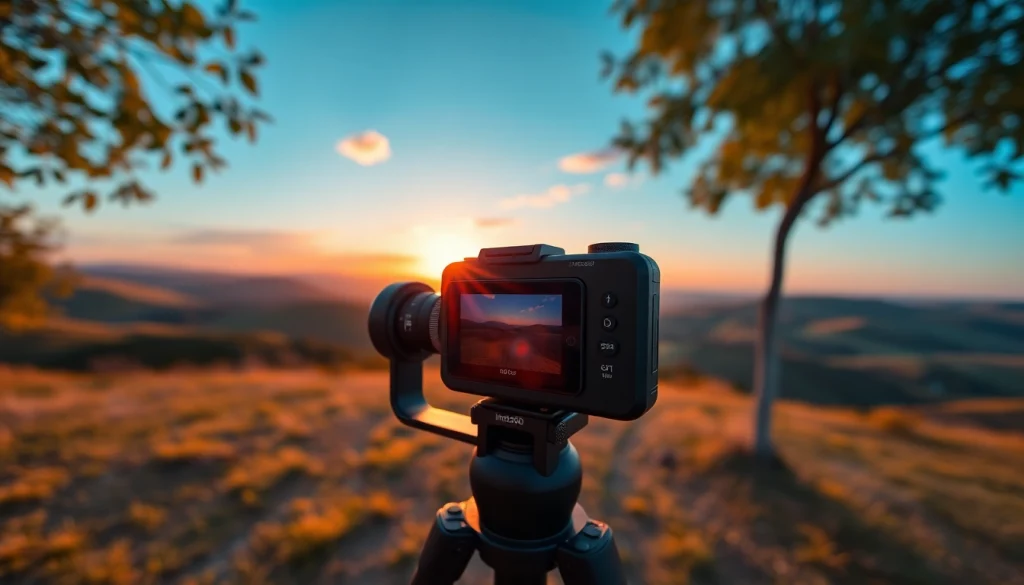
Introduction to Insta360 and Its Features
The world of photography has evolved dramatically with the advent of innovative technologies, and among these, the Insta360 cameras have emerged as a game changer. Designed for both casual users and professional photographers, Insta360 offers a unique blend of features that enhance the creative possibilities of photography and videography. In this section, we will delve into what makes Insta360 stand out and the various models available in the market today.
What is the Insta360 Camera?
The Insta360 camera is a line of 360-degree cameras that allows users to capture immersive photos and videos. Unlike traditional cameras, the Insta360 can record the entire environment around the user, resulting in captivating content that offers a comprehensive view of a moment. This makes it perfect for adventure enthusiasts, vloggers, and anyone looking to share experiences in a more dynamic way. The brand’s innovative technology provides multiple shooting modes, making it adaptable for various scenarios—from travel vlogs to sports events.
Key Features that Stand Out
Insta360 cameras come equipped with a variety of features that enhance their appeal:
- 360-Degree Capture: With dual lenses, Insta360 captures every angle, ensuring no awesome moment goes uncaptured.
- Stabilization: Using advanced algorithms, Insta360 provides industry-leading stabilization, giving your videos a smooth, cinematic look.
- Live Streaming: Some models allow for live streaming capabilities, enabling users to share their experiences in real time.
- Interactive Editing Tools: The Insta360 app offers intuitive editing features, including automatic stitching and AI-powered editing for effortless post-production.
- Compact Design: The lightweight and portable design ensures that your camera is easy to carry around while still delivering high-quality results.
Comparing Insta360 Models
Insta360 has several models, each designed with different features tailored to specific user needs. For instance:
- Insta360 ONE X2: A popular choice for its impressive stabilization and versatility, perfect for both casual and professional use.
- Insta360 ONE R: Notable for its modular design, offering interchangeable lens options—from 360 to wide-angle shooting.
- Insta360 GO 2: The smallest 360 camera offering unique hands-free shooting, ideal for lifestyle and action shots.
Each model caters to different aspects of photography, making it crucial for users to choose the one that best fits their needs.
Getting Started with Your Insta360
Unboxing and Setup
Once you’ve purchased your Insta360 camera, unboxing will reveal the camera, a variety of accessories, and user manuals. The initial setup involves charging the battery, installing the accompanying app, and pairing the camera via Bluetooth. Make sure to update the firmware through the app to ensure you have the latest features and improvements. A step-by-step guide is often included in the packaging, or available on the Insta360 website for user convenience.
Essential Apps for Editing
Editing your Insta360 footage revolves around the use of the Insta360 app, which is available on both iOS and Android. The app provides a comprehensive suite of editing tools that simplify customization:
- Automatic Stitching: The app automatically stitches 360 videos and photos seamlessly, saving you time and effort.
- AI Editing Tools: Use AI to highlight the best moments or create cinematic edits with ease.
- Creative Filters and Effects: Leverage an array of filters to improve the aesthetic quality of your media.
Tips for First-Time Use
For first-time users, it’s essential to familiarize yourself with the functionalities of the camera. Start by experimenting in low-pressure environments to learn how to handle the device. Additionally, consider these tips:
- Practice Different Angles: Move around and shoot from various angles to discover unique perspectives.
- Utilize the App: Spend time navigating through the app to understand the editing tools better.
- Join Online Communities: Engaging with other users can provide invaluable insights and tips.
Advanced Techniques with the Insta360
Creative Shots and Angles
To elevate your photography and videography, explore creative shots using the Insta360 camera. Consider unique perspectives such as:
- Above the Head Shots: Use a selfie stick or tripod to capture stunning high-angle shots.
- Low Angle Shots: Shooting from near ground level can provide dramatic effects, especially in action shots.
- Action Shots while Moving: Capture the action by keeping the camera steady while moving around, creating dynamic videos.
Using Insta360 for Timelapse Videos
Timelapse videos are a unique way to capture long periods in a compressed format. Insta360 cameras simplify this process with built-in timelapse modes. Start by setting up the camera in a stable location, selecting the desired interval between shots, and let the camera do the work. The final product showcases dramatic changes in environments, such as sunsets, bustling city streets, or blooming flowers, all condensed into a brief video.
Editing Techniques for Stunning Results
Achieving stunning edits requires both creativity and understanding the tools at your disposal. Leverage the following techniques:
- Highlighting Key Moments: Use the app’s AI feature to automatically find and highlight the standout moments in your footage.
- Transitions: Experiment with different transition effects to make your videos more engaging.
- Background Music: Incorporate music tracks that fit the mood of your video to enhance viewer engagement.
Common Challenges and Solutions
Battery Life Tips
One common challenge faced by users is battery life. To maximize battery performance, ensure that you:
- Turn off Wi-Fi and Bluetooth when not in use.
- Reduce the resolution settings for longer recording times.
- Keep the camera out of extreme temperatures, as these can affect battery performance.
Dealing with Low Light Conditions
Low light conditions can be tricky, but with Insta360, you can adapt your shooting techniques:
- Use the camera’s night mode feature if available.
- Increase the ISO setting for better light sensitivity, while balancing graininess.
- Stabilize your camera with a tripod to reduce blur from low shutter speeds.
Maximizing Storage Space
As you capture more content, storage can become a concern. To maximize your available storage:
- Regularly transfer files to your computer or cloud storage.
- Use the app to delete unwanted footage directly from the camera.
- Consider using SD cards with higher storage capacities compatible with your model.
Frequently Asked Questions about Insta360
How do I transfer files from Insta360?
To transfer files, connect your Insta360 to your device using the app or USB cable, select files, and download them to your device.
Can I use Insta360 for live streaming?
Yes, Insta360 supports live streaming, allowing you to share your experiences on various platforms via a simple setup.
What accessories enhance Insta360 photography?
Popular accessories include selfie sticks, tripods, external microphones, and lens protectors, which can enhance your shooting experience.
Is Insta360 waterproof?
Most Insta360 cameras are not waterproof but can be used with a waterproof case designed for specific models.
How do I update my Insta360 software?
Update your Insta360 using the companion app by navigating to the settings and checking for firmware updates.