Understanding Square Images and Their Importance
In a visually-driven digital world, square images have emerged as a fundamental format that caters to various platforms, especially social media. Their balanced dimensions make them versatile for different contexts, allowing users to showcase content in a way that captures attention without distortion. From profile pictures to advertisements, the square image format is not just about aesthetics; it plays a crucial role in maintaining brand consistency and increasing engagement across digital platforms.
What Defines a Square Image?
A square image is defined by its equal width and height, resulting in a 1:1 aspect ratio. This format is visually appealing and easier to manage, especially in platforms where images need to fit into specific layouts or grids. Unlike other aspect ratios, square images provide a centered view of the subject, making them ideal for portraits, logos, and graphics. This symmetry helps maintain focus and draws the viewer’s attention directly to the content.
Benefits of Using Square Images in Digital Media
- Enhanced Compatibility: Many social media platforms, such as Instagram, favor square images, allowing for seamless integration into posts and stories.
- Consistent Branding: Utilizing square images contributes to a cohesive visual identity, enhancing recognition and recall among audiences.
- Improved Visual Focus: The square format naturally centralizes the subject, minimizing distractions and emphasizing key elements.
- Versatile Adaptability: Square images can easily be adapted for various formats, such as banners, thumbnails, and profile pictures.
Common Use Cases for Square Images
Square images are prevalent in various scenarios, including:
- Social media profiles and posts
- Website galleries and portfolios
- Marketing materials, including ads and flyers
- Product listings in e-commerce platforms
Methods to Create Square Images Effectively
Creating square images can be accomplished through various methods, depending on your immediate needs and available tools. Below are some of the most effective approaches to ensure high-quality results.
Using Online Tools for Immediate Results
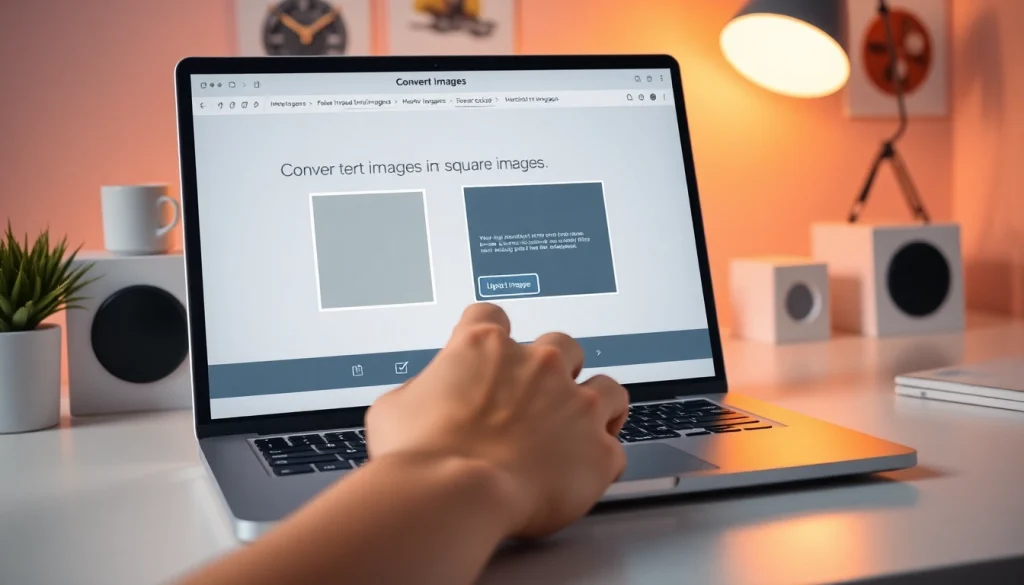
Online tools have revolutionized image editing, especially for those who need quick solutions without the hassle of software installation. Websites designed for square image conversion typically offer features like drag-and-drop functionality, real-time previews, and multiple formatting options. These tools allow users to upload images, select desired adjustments, and generate perfect square images in mere minutes.
Step-by-Step Guide to Manual Conversion
If you prefer more control over the resulting image, manually converting to a square format using software like Adobe Photoshop or GIMP is an excellent option. Here’s how:
- Open the image in your editing software.
- Select the crop tool and set the aspect ratio to 1:1.
- Position the crop box over the area you want to keep.
- Apply the crop and save the image in your desired format.
Comparison of Crop vs. Resize Techniques
While creating square images, you may encounter two primary techniques: cropping and resizing. Here’s a quick comparison:
- Crop: This method removes portions of the image to fit the square format, potentially sacrificing some content but maintaining original quality and focus.
- Resize: This technique adjusts the image dimensions to square format, which may stretch or compress the image and can lead to distortion if not handled carefully.
Advanced Features for Square Image Creation
Modern tools for square image creation offer advanced features that enhance user experience and output quality. Here are some noteworthy capabilities that can significantly improve the final product.
Real-Time Preview and Adjustment Capabilities
Having the ability to see changes in real-time allows users to make quick adjustments and ensure that the image appears exactly as intended. This feature is particularly beneficial when working with intricate designs or specific layouts.
Utilizing Blur Backgrounds or Color Options
Adding blur backgrounds or solid colors can elevate the visual appeal of square images. Blur backgrounds draw attention to the main subject by creating depth, while solid colors can convey specific moods or themes, enhancing brand identity.
High-Resolution Output for Professional Needs
For professional projects, having the option to download images in high resolution—up to 10,000px—ensures that quality is never compromised. This feature is especially important for print materials, advertisements, and detailed digital displays.
Optimizing Square Images for Social Media
To effectively engage audiences on social media, optimizing square images for each platform is crucial. Here are some tips for doing so:
Best Practices for Instagram and Other Platforms
Instagram thrives on visually appealing content. Using square images not only fills the feed beautifully but also encourages higher engagement rates. Keeping the visuals consistent across platforms, including dimensions, color schemes, and styles, is essential for brand recognition.
Choosing the Right Dimensions for Different Uses
Different platforms may have varying recommended dimensions for square images. For instance, Instagram typically favors 1080×1080 px images for optimal resolution, while Facebook supports 1200×1200 px for posts. Always check platform guidelines for the best results.
Engaging Your Audience with Eye-Catching Designs
To stand out in crowded feeds, consider adding unique design elements, filters, or graphics to your square images. Engaging visuals can significantly boost interaction rates and help effectively convey your message.
Frequently Asked Questions About Square Images
Can I Create Square Images Without Cropping?
Yes, many online tools offer options for converting images without cropping by utilizing blur backgrounds or resizing techniques, ensuring the subject remains intact.
Which Formats are Supported for Upload?
Most square image converters support common formats such as JPG, PNG, and WEBP, allowing for versatile usage across various platforms and applications.
Is the Tool Free and Accessible on All Devices?
Yes, many online square image tools are free to use and operate directly in web browsers, making them accessible on desktop, mobile, and tablet devices without the need for downloads.