
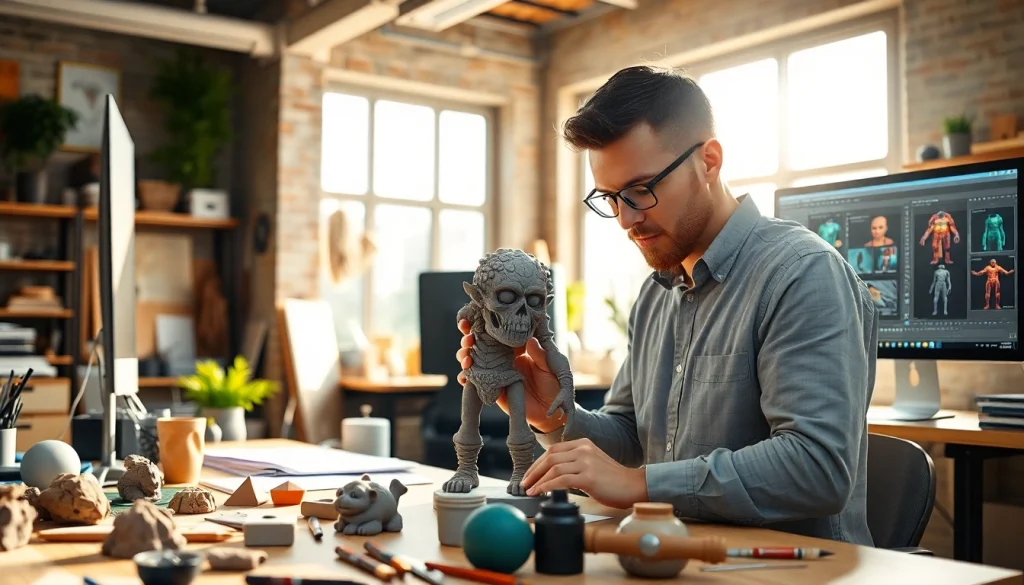
Understanding the Basics of 3D Modeling
What is 3D Modeling?
At its core, 3D modeling is the process of creating a three-dimensional representation of an object using specialized software. The final product can be visualized in 3D environments, making it invaluable across various industries, including gaming, film, architecture, and product design. In 3D modeling, objects are created using a range of digital techniques, representing real-world entities or conceptual designs. By utilizing points in 3D space, known as vertices, and connecting them through edges and faces, modelers formulate mesh structures that artists and designers can manipulate to achieve the desired form and attributes. With advancements in technology, creating 3D models has become more accessible, catering to a diverse audience of both amateurs and professionals.
The Importance of 3D in Today’s Design Environment
3D modeling plays a crucial role in the modern design landscape. It enhances communication and collaboration, bridging the gap between conceptual ideas and tangible outcomes. Industries rely on 3D models to streamline their design processes, allowing for rapid prototyping and testing of ideas in virtual environments. Moreover, 3D modeling enables designers to visualize their projects in a way that traditional 2D approaches cannot achieve, facilitating a better understanding of scale, form, and aesthetics. This significant capability underscores the necessity of integrating 3D applications into workflows, ultimately improving productivity and innovation while reducing costs in the design phase. As noted, you can explore many aspects of this dynamic field at https://www.cubifycreations.com.
Different Types of 3D Modeling Techniques
Several techniques are central to the practice of 3D modeling, each serving unique needs and producing distinct results:
- Polygonal Modeling: The most common technique, where objects are created using polygons—primarily triangles and quads—resulting in flexible and detailed shapes.
- Patch Modeling: Often used in character modeling, this technique utilizes curves and patches to create smooth and organic forms.
- NURBS Modeling: Utilizing Non-Uniform Rational B-Splines, this method is excellent for creating smooth and highly detailed surfaces, commonly employed in automotive and industrial design.
- Sculpting: This technique mimics traditional sculpting, allowing artists to manipulate a digital clay model for organic shapes, often used in character design.
- Retopology: This process involves creating a new mesh over an existing model to optimize it for animation or rendering, ensuring a cleaner and more efficient geometry.
Choosing the Right Tools for 3D Modeling
Popular Software Options for 3D Art
The first step in embarking on your 3D modeling journey is selecting the appropriate software. Various applications cater to different skill levels and project requirements:
- Blender: A powerful, open-source 3D modeling software widely used for modeling, animation, and rendering.
- Autodesk Maya: An industry-standard tool favored by professionals in film and animation, renowned for its extensive modeling tools and capabilities.
- 3DS Max: Known for its ease of use and strong modeling capabilities, it’s a popular choice among game developers.
- Cinema 4D: A versatile application celebrated for motion graphics and fast rendering speed, making it ideal for advertising and design studios.
- ZBrush: This software excels in sculpting detailed and intricate models, making it a favorite among character artists and game designers.
Hardware Recommendations for Efficient Modeling
Investing in the right hardware is essential for efficient 3D modeling. A competent system should include:
- Graphics Card: A high-performance GPU is crucial for rendering complex scenes and textures. Look for solutions from brands like Nvidia or AMD.
- Processor: A multi-core CPU can dramatically improve your modeling experience, facilitating faster computations and multitasking capabilities.
- RAM: A minimum of 16GB of RAM is recommended for most 3D applications, but 32GB or more can enhance performance for larger projects.
- Storage: Solid State Drives (SSDs) provide faster loading and save times compared to traditional hard drives, which can significantly improve workflow.
Understanding Texturing and Rendering Tools
Texturing and rendering are essential components of making your 3D models come to life. Compelling textures can elevate model realism and are typically applied using:
- UV Mapping: The process of mapping a 2D image texture onto a 3D model, affecting how textures align and fit the model’s surface.
- Shading: This process involves defining the surface properties of the model, such as color, reflectivity, and texture, creating more lifelike appearances.
- Rendering Engines: Tools such as V-Ray, Arnold, and Redshift allow for the conversion of 3D scenes into 2D images or animations, providing photorealistic results.
Creating Your First 3D Model
Planning Your Project: From Concept to Creation
Before diving into modeling, take time to plan your project. Outlining your ideas will streamline the creation process, making it easier to identify necessary resources, choose the ideal modeling techniques, and establish timelines. Start by sketching your concept and gathering reference images to visualize the form and proportions of your model.
The Step-by-Step Process of Modeling
Creating a 3D model involves following a systematic process:
- Blocking Out: Start with primitive shapes (cubes, spheres, etc.) to establish the basic proportions and overall silhouette of the model.
- Refining the Geometry: Add details by manipulating the mesh, adjusting vertices, edges, and faces to refine shapes and add complexity.
- Adding Textures: Apply your prepared textures to the model, ensuring they align correctly using UV mapping.
- Lighting and Rendering: Set up lighting within the scene to enhance depth and realism and render the scene using your chosen engine.
Tips for Beginners in 3D Character Modeling
Starting your journey in character modeling can be challenging yet rewarding. Here are helpful tips:
- Study Anatomy: Understanding human anatomy or the forms of the character you’re creating is vital to achieving realism.
- Use Reference Images: Employ multiple angles of reference images that guide the accuracy of your model.
- Practice Regularly: The more you model, the better you will become. Set goals and create various types of models to diversify your skills.
- Seek Feedback: Participate in online forums or local groups where you can share your work and gain constructive criticism for improvement.
Best Practices in 3D Character Design
Ensuring Realism and Detail in Your Models
Realism in character models hinges on meticulous attention to detail. Pay close attention to proportions, surface textures, and anatomical accuracy, factoring in realism-enhancing elements such as wear and tear, skin texture, and unique character features. Utilize appropriate shaders and consider how light interacts with different surfaces to enrich the visual fidelity of your model.
Color Theory and Its Application in 3D Design
The effective application of color theory can profoundly impact the emotional response and engagement level of your character design. Different colors evoke various feelings and associations, so using palettes strategically can enhance storytelling. Focus on color harmony, saturation, and contrast while applying color to ensure cohesive and visually appealing models.
Gathering Feedback and Iterating on Designs
Feedback is a crucial tool for growth in 3D design. After initial modeling, engage peers, mentors, or online communities to seek constructive criticism. Be open to suggestions, as they can provide new perspectives and enhance your work. Iterating based on feedback allows for refinement and ultimately leads to more polished and professional designs.
Taking Your 3D Models to the Next Level
Advanced Techniques for Experienced Modelers
For those looking to push their skill set further, consider exploring the following advanced techniques:
- Dynamic Simulation: Incorporate physics to simulate realistic movements, such as cloth draping or rigid body interactions.
- Character Rigging: Learn how to create skeletal structures for characters to facilitate movement and animation.
- Digital Sculpting: Use sculpting tools like ZBrush to create intricate details and textures that enhance realism.
How to Present and Showcase Your 3D Work
How you present your work can influence its reception. Consider creating a digital portfolio showcasing your best models, animations, and processes. Utilize high-quality renders with free tools or platforms that support 3D viewer options, allowing potential clients or employers to interact with your designs in 3D space. Engage on social media platforms and participate in online competitions to gain visibility and enhance your reputation within the community.
Staying Updated with Industry Trends and Techniques
The world of 3D modeling evolves rapidly, with new tools and techniques emerging consistently. Stay informed by following industry blogs, participating in forums, and subscribing to relevant YouTube channels or online courses. Attend workshops and conferences to network with other professionals and learn firsthand about the latest innovations in the field.
Frequently Asked Questions
What is the best software for beginners in 3D modeling?
Blender is highly recommended for beginners due to its user-friendly interface and extensive free resources available online, facilitating a smoother learning curve.
How long does it take to create a 3D model?
The time to create a 3D model varies widely, depending on the complexity of the model and the artist’s skill level. Simple models may take a few hours, while intricate designs can take days or weeks.
Do I need a powerful computer for 3D modeling?
A powerful computer enhances the 3D modeling experience, reducing lag during rendering or complex simulations. Focus on a good GPU, CPU, and sufficient RAM for the best results.
Can 3D models be animated?
Yes, 3D models can be animated by rigging them with a skeleton and applying keyframes to create fluid motions. This is especially common in characters for games and films.
Where can I find tutorials for 3D modeling?
Many platforms, including YouTube, Udemy, and dedicated forums, offer tutorials. These resources cater to various skill levels and specific software, enhancing your learning journey.