
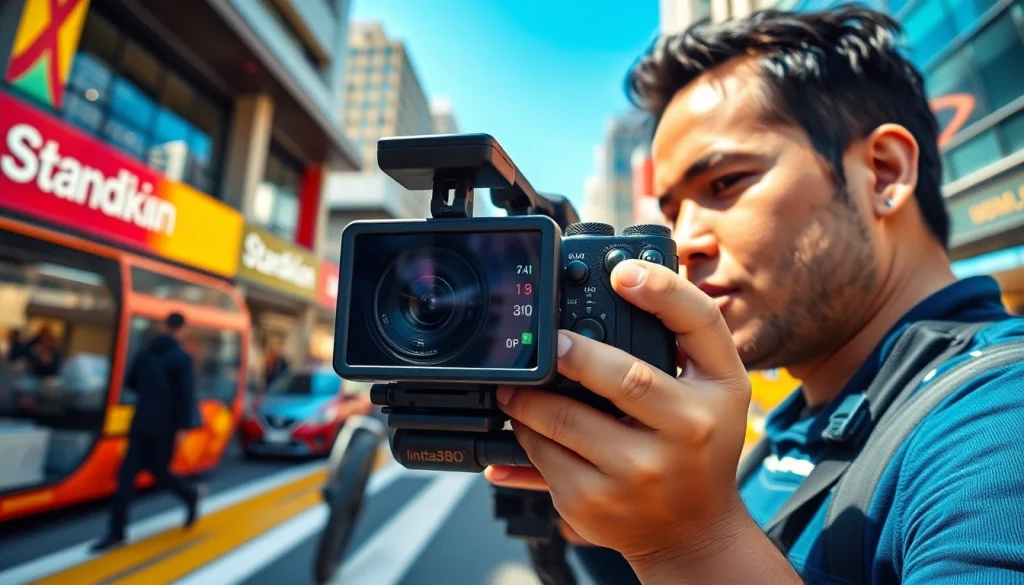
Understanding the Features of the insta360
Unique Characteristics of the insta360
The insta360 camera series is a marvel of modern technology specializing in capturing immersive content. One of its standout features is its ability to record in 360 degrees, allowing users to experience a panoramic view of their environment. This capability is bolstered by high-resolution sensors that deliver detailed images and videos, ensuring that every shot is vibrant and lifelike.
Another unique characteristic is its advanced stabilization technology. With features like FlowState stabilization, users can shoot smooth footage even during high-action scenarios, dramatically enhancing the viewing experience. The insta360 also offers a range of shooting modes, from time-lapses and hyper-lapses to multi-view shots, enabling creative storytelling in unique ways.
Furthermore, the user interface of the insta360 is intuitive and user-friendly, allowing both amateur and professional filmmakers to navigate its features effortlessly. The accompanying mobile app expands functionality, enabling users to easily edit footage, add effects, and share content seamlessly on social media platforms.
How the insta360 Compares to Traditional Cameras
When placed side by side, the insta360 stands out distinctly from traditional cameras. Traditional cameras, primarily designed for standard shooting, offer limited perspectives and angles. In contrast, the instant capture ability of the insta360 effectively eliminates the need for multiple camera setups, since it provides an all-in-one solution to capture an entire scene, providing greater flexibility in framing shots.
Additionally, the integration of software tools within the insta360 elevates the shooting experience. Unlike traditional cameras, which may require post-production for editing and stitching multiple shots, the insta360 simplifies this process. It allows for live-streaming capabilities and features like live stitching, which are not typically available in conventional camera systems.
Moreover, with the evolution of content consumption towards virtual reality and 360-degree video, the insta360 becomes indispensable for creators aiming to engage their audience fully. Thus, for those focused on immersive storytelling, the insta360 presents an evolutionary leap forward over traditional photography gear.
Advanced Settings for Optimal Use
To maximize the potential of the insta360, understanding its advanced settings is crucial. Users have the ability to adjust resolution settings to cater to specific project requirements. Higher resolutions are ideal for projects requiring clarity, while lower settings can be used to conserve storage during more casual shoots.
Moreover, the insta360 offers manual control over exposure, ISO, and shutter speed. Users can fine-tune these settings based on lighting conditions, ensuring that the final images maintain optimal brightness and detail. For users engaging in low-light photography, increasing the ISO can help, albeit with potential noise, while utilizing slow shutter speeds can produce stunning effects in bright environments.
Additionally, the ability to use HDR (High Dynamic Range) shooting allows for capturing scenes with a high contrast between light and shadow, ensuring that details are retained across varying lighting conditions. Understanding and employing these advanced settings will significantly elevate the overall quality of content captured.
Getting Started with the insta360
Essential Accessories for the insta360
To fully enjoy the capabilities of the insta360 camera, investing in essential accessories is vital. A sturdy tripod is perhaps the most important accessory, as it allows for stable shooting, particularly during stationary or time-lapse photography. Some tripods even allow the insta360 to be mounted securely, ensuring more dynamic angles while maintaining clarity.
Another notable accessory is the self-stick or extension pole. This tool enables users to capture wide shots and immersive angles without entering the frame themselves. This is particularly useful for action shots or group photos where capturing a wider perspective enhances the storytelling of the shot.
Protective cases are crucial for safeguarding the camera from damage during outdoor adventures. Additionally, extra batteries and portable chargers ensure that the camera remains powered throughout extensive filming sessions, reducing downtime and maximizing productivity.
Initial Setup and Configuration
Setting up the insta360 for the first time is straightforward. After unboxing, the initial step is to charge the battery fully. Once charged, download the insta360 app on your smartphone and turn on the device. Follow the on-screen prompts, which include connecting to Wi-Fi and updating the firmware if necessary. This ensures optimal performance.
Next, users should customize their preferred shooting modes using the app. The configuration allows users to set default settings that reflect their usual style of shooting. This can include frame rate preferences and resolution settings tailored to specific types of projects, optimizing efficiency and results.
Lastly, familiarize yourself with the app’s interface. The app provides real-time previews of what the camera is capturing, making it easier to frame shots perfectly. Understanding these setup steps will foster a smoother shooting experience from day one.
Best Practices for First-Time Users
When using the insta360 for the first time, certain best practices can facilitate better results. First, practice using various shooting angles and styles to discover what works best for your narrative. Take advantage of the wide-angle perspective to experiment with dynamic compositions and tell compelling stories with visuals.
It’s also important to keep an eye on lighting conditions. Plan shoots during golden hour for softer lighting, which tends to enhance the overall aesthetic. If filming indoors or in shadowed areas, ensure to utilize supplemental lighting to maintain image quality.
Lastly, always conduct test shoots in different environments and settings. This trial-and-error approach will help you understand the capabilities of the camera thoroughly and empower you to produce quality content with confidence.
Creative Techniques Using the insta360
Innovative Angles and Perspectives
Unleashing creativity with the insta360 begins with innovative angles and perspectives. Utilizing the 360-degree capabilities, users can create engaging content that draws viewers into the experience. For instance, placing the camera on a drone or kite offers aerial views that are impossible to capture with traditional equipment.
Moreover, experimenting with unusual placements, such as on the ground or within a vehicle, can yield captivating visuals that evoke strong emotional reactions. Combining this with post-processing effects can lead to mesmerizing results, creating a multi-sensory experience that traditional cameras cannot replicate.
Additionally, consider using the “Bullet Time” feature, where the camera captures slow-motion footage while revolving around the subject. This technique is excellent for creating dramatic, high-action shots that hold the viewer’s attention.
Capturing High-Quality 360-Degree Images
Achieving high-quality 360-degree images with the insta360 requires careful consideration of several factors. First, ensure that you are shooting at the highest resolution available, which optimizes for detail and quality. Select the 360 photo mode to utilize the full panoramic capability, ensuring every angle is included.
Moreover, focus on composition. Even in a 360 environment, applying traditional photography rules like the rule of thirds can enhance the overall shot. Position your subject thoughtfully within the frame to create a balanced image.
Lighting plays a pivotal role as well. Ensure that your scenes are well-lit to prevent underexposure, which can lead to loss of detail. Experiment with natural light by shooting during various times of the day to see how it modifies your subject and background.
Using Editing Apps with the insta360
Edit and enhance your captures using the dedicated insta360 editing app or compatible software. The app provides a robust suite of tools for trimming clips, applying filters, and even creating time-lapse videos directly from the captured footage. Users can also export videos in formats suitable for social media or high-resolution displays.
Implementing advanced editing techniques, such as adding subtitles, music, or effects, transforms simple clips into engaging stories that resonate with audiences. Using features like the “Story Mode” can guide users step-by-step in crafting compelling narratives.
Additionally, consider leveraging other editing tools compatible with 360 videos to extend your creative flexibility further. Combining these techniques will elevate the quality and engagement level of your content significantly.
Common Challenges and Troubleshooting
Addressing Playback and Connectivity Issues
Encountering playback or connectivity issues with the insta360 can be frustrating but often has simple solutions. If playback is sluggish or non-responsive, first ensure that your device firmware is up to date. Restarting both the camera and the mobile app often resolves temporary glitches.
In terms of connectivity, ensure the camera is properly paired with your smartphone via Bluetooth. Disconnect and reconnect if necessary, and check that both devices have Wi-Fi enabled to facilitate seamless file transfers and live previews.
If problems persist, consulting the insta360 user manual or online support communities often provides specific troubleshooting steps tailored to common issues, ensuring users get back to shooting promptly.
Improving Image Quality Over Difficult Conditions
Capturing impactful images in challenging conditions, such as low light or high contrast, requires astute techniques. Increase the ISO setting to allow the camera to gather more light, but balance this by being aware of potential graininess in the image. Consider using manual exposure control for optimal results, adjusting the settings according to environmental changes.
For harsh sunlight instances, try using an ND (Neutral Density) filter to reduce brightness levels while maintaining shutter speed. These filters help create more dynamic, visually rich captures without overwhelming glare.
Moreover, ensure that you stabilize your shots when shooting in windy conditions or while moving. Utilizing a tripod or gimbal can significantly reduce shakiness and enhance overall image quality.
Battery Management Tips for Extended Use
Ensuring extended battery life during shoots is essential for maximizing usability with the insta360. Start by fully charging the battery before any shoot. Carry additional batteries to switch out when one runs low, preventing interruptions during filming sessions.
Utilizing power-saving modes available in the camera settings can also extend battery life. Limit features such as Wi-Fi connectivity and GPS during basic shooting exercises to conserve power. Keep the camera turned off when not actively filming, as background processes can drain battery unexpectedly.
Finally, optimizing screen brightness when reviewing footage will help alleviate battery drain, allowing for longer operational periods during outdoor adventures.
Enhancing Engagement with the insta360 Community
Sharing Work Through Social Media Platforms
The sharing capabilities of the insta360 community are part of what makes using this camera so enjoyable. Users can upload their work directly to various social media platforms, allowing them to showcase their creativity and connect with followers. Utilize 360-degree videos to provide audiences with an engaging experience and captivate their attention.
Employ relevant hashtags when posting content to enhance discoverability and encourage interaction. By participating in social media challenges or using trends, users can amplify their reach and become part of the vibrant community surrounding insta360.
Joining insta360 User Groups and Forums
Engaging with fellow insta360 users through online forums or user groups is a perfect way to share experiences and gain insights. Platforms like Facebook and Reddit often host communities specifically centered around the insta360, where users can ask questions, share tips, and collaborate on projects.
These groups also provide access to discussions about the latest updates, troubleshooting advice, and creative inspirations. By becoming an active participant, users can leverage collective knowledge, turning challenges into opportunities for growth and improvement.
Participating in Photo Contests and Challenges
Joining competitions and challenges hosted by the insta360 community can spark creativity and enthusiasm. These events often focus on specific themes, encouraging users to think outside the box and explore new shooting techniques.
Submissions to contests can also enhance visibility and recognition within the community, providing a platform for feedback and suggestions from seasoned professionals. Participating in such activities can be a fun and rewarding experience that leads to greater proficiency with the camera.
Frequently Asked Questions
What is the best way to stabilize shots with the insta360?
Using a tripod or a gimbal helps stabilize shots significantly. Also, ensure the FlowState stabilization feature is enabled for smoother footage during movement.
Can I use the insta360 in low-light conditions?
Yes, the insta360 performs well in low-light conditions. Adjusting the ISO and exposure settings can help improve image quality in darker settings.
How do I transfer files from the insta360 to my smartphone?
Connect the camera to your smartphone via Bluetooth or Wi-Fi. Open the insta360 app, and follow the prompts to access and transfer files easily.
What accessories are recommended for the insta360?
Essential accessories include a sturdy tripod, an extension pole, protective cases, and extra batteries for efficient shooting sessions.
How can I improve my editing skills with the insta360 app?
Explore the app’s editing tools regularly. Practice creating different styles, and consider tutorials online to enhance your video editing skills and ease of use.