Understanding the Core Functions of TradingView
In today's rapidly evolving financial landscape, traders require tools that centralize their research and execution processes. TradingView stands out as a robust platform that offers an integrated approach to market analysis and trading. By providing a unified workspace for various asset classes—ranging from stocks to cryptocurrencies—TradingView caters to both novice and experienced traders aiming for efficiency and precision in their trading activities.
What is TradingView and Why Use It?
TradingView is a web-based platform designed primarily for charting and analyzing financial markets. It equips traders with the necessary tools to visualize price movements, execute trades, and access a community of like-minded individuals. What makes TradingView particularly appealing is its versatility; the platform supports a wide array of asset classes including stocks, forex, and digital currencies. This adaptability allows traders to transition seamlessly between markets without the need for multiple applications.
Key Features of TradingView for Modern Traders
- Comprehensive Charting Tools: TradingView offers advanced charting capabilities, including multiple chart types, technical indicators, and drawing tools that enhance the analytical process.
- Customizable Alerts: Users can set alerts based on specific price levels or technical indicators, allowing for proactive trading decisions without the need for constant monitoring.
- Community Engagement: The platform hosts a vibrant community where traders can share ideas, strategies, and insights, fostering a collaborative learning environment.
- Pine Script: TradingView's proprietary scripting language enables users to create custom indicators and strategies, further personalizing their trading experience.
Integrating TradingView with Other Tools
To maximize the effectiveness of trading strategies, integrating TradingView with other financial tools and resources is essential. Many traders find success by combining TradingView with brokerage platforms that allow for direct order execution, thereby streamlining the trading workflow. Moreover, syncing TradingView with financial news services can provide critical market insights alongside technical analysis, fostering a well-rounded approach to trading.
Setting Up Your Trading Environment with TradingView
Creating a tailored trading workspace within TradingView can greatly enhance both efficiency and effectiveness. By customizing the interface to suit individual trading styles and preferences, traders can navigate markets with greater ease and focus.
Creating Your Custom Trading Workspace
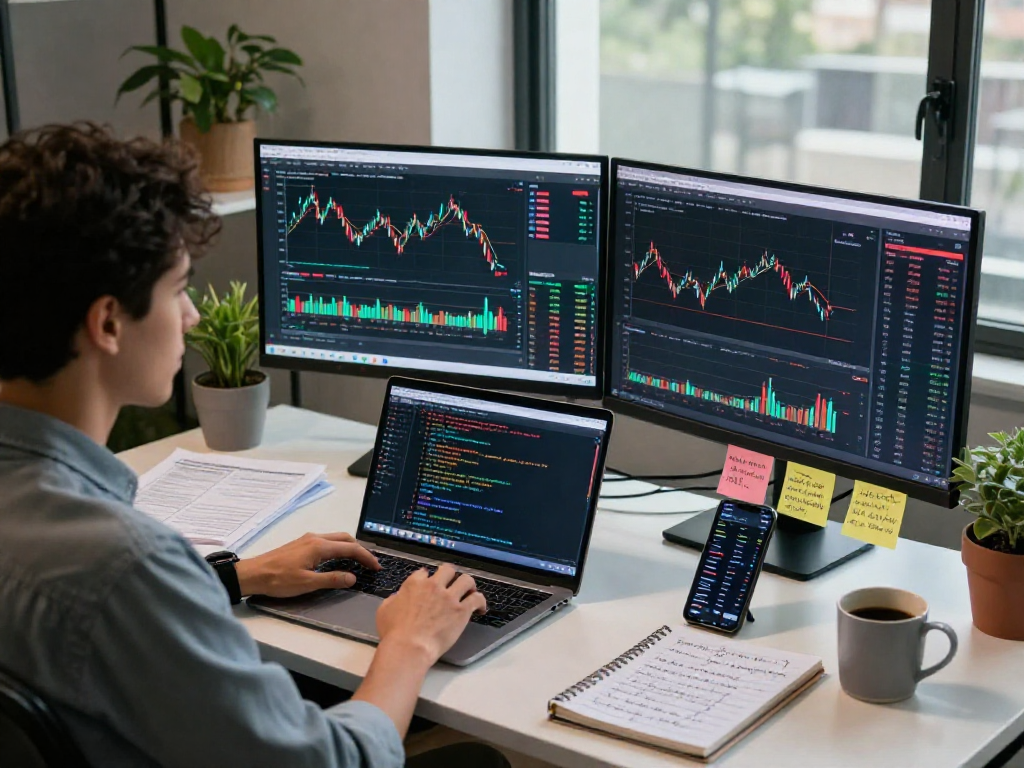
When setting up your TradingView workspace, begin by selecting the asset classes you intend to trade most frequently. Arrange your charts in a way that allows you to easily compare different securities or currencies. Utilizing the multi-chart layout feature, traders can monitor various markets simultaneously, which is particularly beneficial during high volatility periods.
Utilizing Layouts and Multiple Charts Effectively
TradingView allows users to create multiple chart layouts that cater to different trading strategies. Day traders may opt for shorter time frames to capture quick price movements, while swing traders might focus on longer-term charts. Experimenting with different layouts can reveal which configurations work best for your trading style. Additionally, traders can save layouts for easy access, ensuring consistency in their analytical process.
Best Practices for Configuring Alerts
Setting up effective alerts is crucial for timely trading decisions. Traders should configure alerts for key price levels, technical indicators, or significant market events. This proactive approach can prevent missing crucial trading opportunities, especially in a fast-moving market. Furthermore, using mobile notifications allows traders to stay informed and act swiftly, even when they are away from their screens.
Optimizing Your Trading Strategy with TradingView
Trading strategies can be complex and varied, but TradingView offers several tools to simplify the development and optimization of these strategies.
How to Backtest Your Trading Ideas
Backtesting is an essential step in strategy development. TradingView's Strategy Tester allows users to evaluate their trading strategies using historical data. By entering specific parameters and reviewing past performance, traders can gain insights into a strategy's potential effectiveness before applying it in real-time markets. This testing phase can reveal weaknesses and help refine strategies for better performance.
Utilizing Pine Script for Custom Indicators
Pine Script is a powerful feature of TradingView that permits users to create custom indicators and trading strategies. Whether you're looking to fine-tune existing indicators or develop completely new ones, Pine Script offers the flexibility needed to tailor analyses to individual preferences. Traders can also access and share their scripts with the community, fostering collaborative improvements.
Implementing Risk Management Techniques
Risk management is a critical component of successful trading. Using TradingView's tools, traders can set stop-loss and take-profit levels directly on their charts, allowing for better control over their risk exposure. By defining risk parameters and adhering to them, traders can help protect their capital while increasing their chances of long-term success.
Engaging with the Trading Community
The engagement with a community can significantly enhance a trader's learning experience and provide valuable insights into market trends and strategies. TradingView excels in fostering community interactions.
How to Share Ideas and Learn from Others
TradingView’s platform allows users to publish their trading ideas and analyses, which can invite feedback and discussion from other traders. Participating in these exchanges can provide new perspectives and strategies that one might not have considered. Additionally, following expert analysts can enrich a trader's knowledge base, keeping them abreast of market dynamics.
Participating in Market Discussions on TradingView
Market discussions are a key feature of the TradingView community. Traders can participate in forums and chat rooms, share their experiences, and ask for advice on specific trading strategies or market conditions. This interactive aspect not only enhances one’s understanding of the market but also builds a network of trading connections.
Leveraging Community Insights for Better Trading
Trader insights can provide a wealth of information beyond standard technical analysis. Community members often share real-time updates about market conditions, potential news events, or even psychological aspects of trading. By actively engaging with the community, traders can adapt their strategies to align with collective insights, potentially improving their overall performance.
Future Trends in Trading and Financial Analysis
As technology continues to reshape the financial landscape, traders must prepare for the evolving trends that will impact trading practices.
Emerging Technologies Affecting Trading in 2026
Artificial intelligence and machine learning are becoming increasingly prevalent in trading strategies. These technologies analyze vast amounts of market data to identify patterns and predict future price movements. As these technologies mature, they will likely become integral to trading platforms like TradingView, offering traders enhanced tools for analysis and decision-making.
What to Expect from TradingView in the Coming Years
Looking forward, TradingView is likely to continue expanding its features and capabilities. Enhancements in charting tools, the inclusion of more asset classes, and advanced integration of AI-driven insights are all potential developments that users can anticipate. Such advancements will enable traders to perform analyses and execute trades more effectively.
Preparing for Market Changes and Adaptation Strategies
With markets evolving rapidly, traders must remain adaptable to change. Utilizing TradingView's wide array of tools, such as customizable alerts and multi-market analysis, can help traders stay ahead of market shifts. Being proactive and flexible in approach will be key in navigating the challenges of the future trading environment.
What trading advantages does TradingView offer?
One of the significant advantages of TradingView is its all-in-one platform that integrates charting, social networking, and real-time data analysis. This consolidation allows traders to streamline their workflow and make informed decisions based on comprehensive market insights.
How can I create custom indicators on TradingView?
To create custom indicators on TradingView, users can utilize the Pine Script language available on the platform. By following the documentation and participating in community discussions, traders can learn to code their indicators based on specific strategic requirements.
What are the best practices for setting alerts?
Best practices for setting alerts include identifying key price levels, utilizing technical indicators to signal entry or exit points, and ensuring alerts are specific enough to avoid unnecessary notifications. Additionally, timely responses to alerts can significantly improve trading efficiency.
How does TradingView compare to other trading platforms?
Compared to other trading platforms, TradingView offers a unique combination of charting capabilities, social networking features, and an extensive library of technical indicators. This makes it a preferred choice for traders looking for a comprehensive trading and research solution.
What future features are expected in TradingView?
Future features that may be introduced in TradingView include enhanced AI integration for predictive analytics, more customization options for layouts, and improved tools for community interactions, which will further enrich the trading experience and strengthen user engagement.