
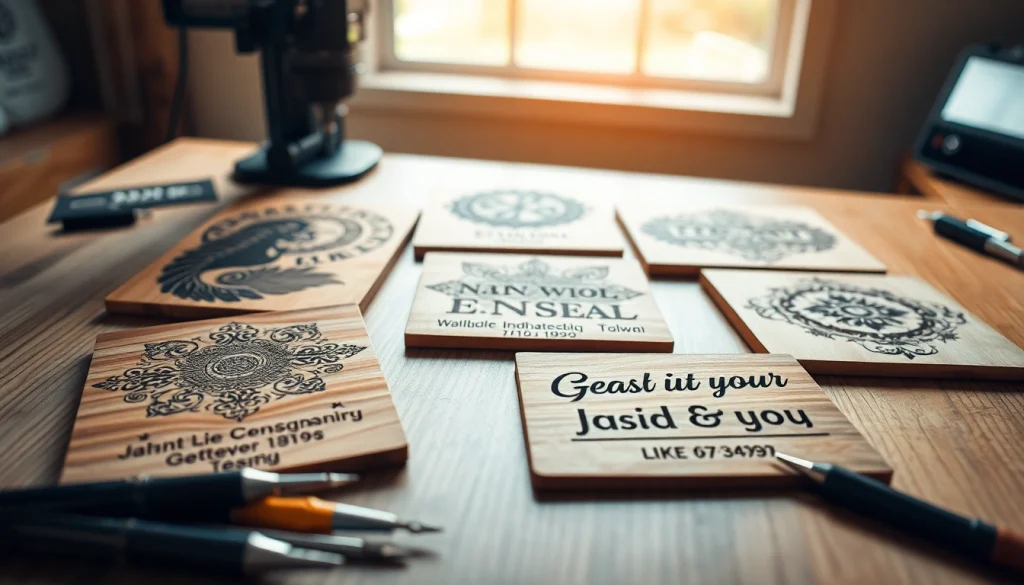
Understanding Laser Engraving Designs
What is Laser Engraving?
Laser engraving is a transformative technology that utilizes precision laser beams to remove material from the surface of various substrates, crafting intricate designs and detailed artwork. Unlike traditional engraving, which may use rotary tools or other mechanical processes, laser engraving operates with a focused light beam that can achieve remarkable accuracy and detail. This method is not only faster but also allows for a broader range of design possibilities, making it a popular choice among artists, crafters, and industries alike.
Benefits of Using Laser Engraving Designs
Utilizing laser engraving designs offers multiple advantages that enhance both creativity and production. First, the precision of laser engraving allows for the replication of complex designs with exactness, which is critical in professional applications such as branding and personalization. Second, the versatility of materials—ranging from wood, acrylic, glass, and leather—ensures that users can experiment with various textures and finishes. Finally, laser engraving is efficient in terms of processing time and automation, allowing for mass production without significant loss in quality.
Types of Materials for Laser Engraving
Laser engraving can be performed on a wide variety of materials, expanding its applicability across numerous fields:
- Wood: One of the most popular materials, wood offers a natural aesthetic and engraves smoothly.
- Acrylic: This material provides vibrant colors and a clean finish, making it ideal for signage and decorative items.
- Leather: Perfect for personalized gifts, leather engraves beautifully, adding a touch of elegance.
- Glass: Engraving glass can create stunning visual effects, particularly when backlit.
- Metals: While harder to engrave, metals can achieve a durable and professional look with the right settings.
Popular Laser Engraving Designs Ideas
Unique Home Decor Creations
Home decor presents an ideal canvas for laser engraving, allowing creators to craft custom pieces that add individuality to living spaces. Some compelling ideas include:
- Engraved Wooden Signs: Personalized signs for homes or businesses can add character and provide a welcoming touch.
- Decorative Wall Art: Intricate patterns or designs can transform a plain wall into a statement piece.
- Customized Coasters: A practical yet artistic approach to home accessories, perfect for gifts or personal use.
Personalized Gifts for Special Occasions
Personalized gifts express thoughtfulness, and laser engraving can elevate typical items into cherished keepsakes. Consider the following options:
- Engraved Jewelry: Necklaces and bracelets with names or special dates create meaningful gifts.
- Personalized Keepsake Boxes: Custom boxes can store memories or precious items with a special engraving.
- Photo Frames: Adding an engraving makes a framed photo even more special, perfect for anniversaries or weddings.
Creative Business Branding Solutions
Businesses can leverage laser engraving to create distinctive branding solutions that set them apart from competitors:
- Logo Branding on Products: Adding a logo to products enhances brand visibility and recognition.
- Promotional Items: Custom-branded gadgets or tools can serve as memorable giveaways that leave a lasting impression.
- Unique Packaging Solutions: Engraved packaging can attract customers and reinforce a brand’s identity.
Finding Quality Laser Engraving Designs
Top Online Resources for Laser Designs
Finding the right designs can be crucial to the success of laser engraving projects. Numerous resources are available online for designers and crafters alike:
- Design Websites and Marketplaces: Platforms hosting a range of designs, both free and premium, offer abundant choices.
- Social Media Groups and Forums: Engaging with communities on platforms like Pinterest and Reddit can lead to valuable resources and shared experiences.
- Educational Websites and Blogs: Many offer free downloadable designs alongside tutorials to guide you through the engraving process.
How to Evaluate Design Quality
When searching for designs, it’s essential to evaluate their quality. Here are some criteria to consider:
- Resolution: High-resolution files ensure clarity and sharpness during engraving.
- File Format: Look for formats compatible with your engraving software, such as DXF, SVG, or AI.
- User Reviews: Feedback from previous users can offer insights on ease of use and overall quality.
Free vs. Paid Laser Engraving Designs
The choice between free and paid designs depends on the complexity and intended use of the project. Free designs can be suitable for beginners or one-off projects, while paid options often offer higher quality and unique features. Additionally, paid designs might come with licensures for commercial use, making them ideal for businesses looking to utilize laser engraving designs professionally.
Tips for Perfectly Executing Laser Engraving Designs
Setting Up Your Laser Engraver
Proper setup is vital for achieving the best engraving results. Ensure your machine is well-calibrated, your work area is clean, and you’ve selected the appropriate settings for your specific material type.
Design Software Recommendations
Utilizing the right software is crucial for manipulating designs ease and precision. Popular software options include:
- Adobe Illustrator: Excellent for vector artwork and design adjustments.
- LightBurn: A dedicated software for laser engraving that supports various file formats.
- Inkscape: A free alternative widely praised for its capabilities in vector graphics creation.
Common Mistakes to Avoid
Avoiding common pitfalls can save time and resources. Key mistakes include:
- Wrong Settings: Double-check material settings before starting to prevent damage or subpar results.
- Poor Design Resolution: Always use high-quality images to maintain detail during engraving.
- Neglecting Material Safety: Be aware of the safety properties of materials, particularly regarding fumes produced during engraving.
Bringing Your Laser Engraving Designs to Life
Steps to Finalize Your Project
Bringing designs to fruition involves several steps:
- Select Material: Choose the appropriate substrate for your project.
- Upload Artwork: Import your design into the engraving software.
- Adjust Settings: Set the engraving parameters based on the material type.
- Test Run: Conduct a trial run on a scrap piece to ensure settings are correct.
- Engrave: Once satisfied, start the engraving process on your final product.
Maintenance and Care for Engraved Items
Maintaining the integrity of engraved items is essential, especially for those made from sensitive materials. Regular cleaning and proper storage can prolong their lifespan and prevent damage.
Marketing Your Laser Engraved Creations
To effectively market your creations, leverage social media platforms, build an online store, or participate in local craft fairs. Highlight the unique aspects of your products and share the stories behind them to engage potential customers.
FAQs About Laser Engraving Designs
1. What materials can I use for laser engraving?
You can use wood, acrylic, leather, glass, and certain metals among others. Each material offers unique engraving possibilities.
2. How do I choose a design for laser engraving?
Consider your project’s purpose; browse resources online or create custom designs using graphic software for a unique touch.
3. Can I use free designs for commercial purposes?
Check licensing terms for free designs; many are for personal use only. Invest in commercial licenses if necessary.
4. How do I maintain my laser engraver?
Regularly clean the lens, check calibrations, and follow manufacturer instructions to ensure optimal performance and longevity.
5. What is the best software for laser engraving?
Popular choices include Adobe Illustrator, LightBurn, and Inkscape, each offering various features suitable for different skill levels.